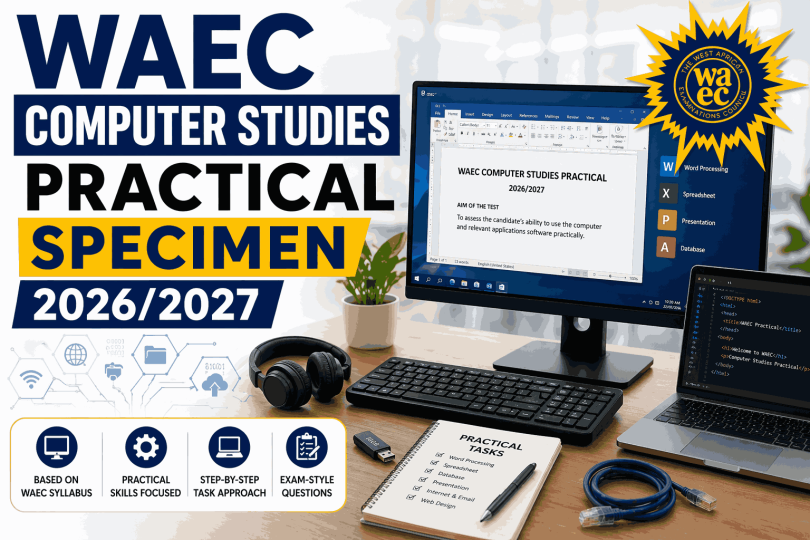

Are you preparing for WAEC and looking for Computer Studies Practical Specimen for 2026/2027? If you’ve been asking questions like “What specimens will WAEC Computer practical use?”, “What should I expect in the exam?”, or “How can I prepare effectively?”, then this guide is for you. West African Examinations Council Computer Studies practical is a very important part of the exam that tests your ability to identify computer hardware, software, peripherals, and apply basic computer operations correctly.
This guide presents the likely WAEC Computer Studies Practical Specimen 2026/2027, explains each specimen, and shows you how to prepare effectively.
About WAEC Computer Studies Practical Specimen
WAEC Computer Studies practical specimen includes computer devices, accessories, storage media, and software-related materials used for:
- Identification and classification
- Description of features and functions
- Drawing and labeling
- Understanding computer operations
- Observation and explanation
The aim is to test your practical knowledge of computer hardware, software, and ICT usage.
WAEC Computer Studies Practical Specimen 2026/2027
Below are likely specimens that may be provided:
Hardware Specimens
- Specimen A – Monitor
- Specimen B – Keyboard
- Specimen C – Mouse
- Specimen D – System unit
- Specimen E – Printer
Storage Devices
- Specimen F – Flash drive
- Specimen G – Compact Disc (CD/DVD)
- Specimen H – Memory card
- Specimen J – External hard drive
- Specimen K – Hard disk drive
Peripherals and Accessories
- Specimen L – Scanner
- Specimen M – UPS
- Specimen N – Modem
- Specimen O – Speakers
- Specimen P – Webcam
Software / Operating Materials
- Word processing interface
- Spreadsheet interface
- Presentation software
- Operating system environment
- Internet browser
Likely WAEC Computer Studies Practical Questions and Answers
1. Identification of Hardware Devices
Task: Identify specimen A, B, and C
Expected Answer:
- A – Monitor
- B – Keyboard
- C – Mouse
Functions:
- Monitor – Displays output
- Keyboard – Used for typing and entering data
- Mouse – Used for pointing, clicking, and navigating
2. Identification of Storage Devices
Task: Identify specimen F, G, and H
Expected Answer:
- F – Flash drive
- G – Compact Disc (CD/DVD)
- H – Memory card
Functions:
- Flash drive – Stores and transfers files
- CD/DVD – Optical storage medium
- Memory card – Stores data in portable devices
3. Identification of Peripheral Devices
Task: Identify specimen L and O
Expected Answer:
- L – Scanner
- O – Speakers
Functions:
- Scanner – Converts hard copy documents into soft copy
- Speakers – Produce sound output
4. Differences Between Input and Output Devices
| Device Type | Example | Function |
|---|---|---|
| Input Device | Keyboard | Enters data into the computer |
| Output Device | Monitor | Displays processed information |
Similarity:
Both are computer hardware devices used during computer operation.
5. Basic Computer Operation
Question: State two functions of the operating system.
Expected Answer:
- Manages hardware and software resources
- Provides user interface
- Controls file management
- Runs application programs
6. Software Application Questions
Question: Name two examples of application software.
Expected Answer:
- Microsoft Word
- Microsoft Excel
- PowerPoint
- CorelDRAW
Practical Tips for WAEC Computer Studies
- Study common computer hardware and their functions
- Learn storage devices and peripheral devices
- Understand input, output, and processing devices
- Practice identifying software environments
- Use correct computer terms in your answers
What Examiners Expect
Examiners look for:
- Correct identification
- Accurate description
- Proper labeling
- Good explanation
- Neat presentation
Important Information
- Questions are often repeated in similar forms
- Identification carries marks
- Use correct computer terminology
- Be neat and precise
- Time management is very important
Conclusion
Preparing early with West African Examinations Council Computer Studies Practical Specimen 2026/2027 is one of the best ways to perform well in the examination. It helps students understand the type of questions, devices, and practical tasks that may appear during the exam. When you are already familiar with common specimens and computer operations, fear and confusion reduce, while confidence increases greatly on the examination day. Many students lose marks not because the subject is hard, but because they fail to prepare ahead of time.
Regular practice also improves important skills needed to score high marks in the practical exam. These skills include identifying computer hardware correctly, recognizing storage devices, understanding peripherals, knowing software applications, typing accurately, and using proper computer terms. The more you practice with likely specimens and past practical questions, the easier it becomes to answer quickly and correctly. With dedication, steady revision, and hands-on practice, you can perform excellently and improve your overall Computer Studies result.
Frequently Asked Questions (FAQs)
What is West African Examinations Council Computer Studies practical specimen?
It refers to computer hardware, peripherals, storage devices, software tools, and other computer-related materials provided during the practical examination for candidates to identify, use, and answer questions on.
Is West African Examinations Council Computer Studies practical difficult?
No, West African Examinations Council Computer Studies practical is not difficult when you practice regularly and understand common computer devices, software, and their functions.
What usually comes out in Computer practical?
Common specimens often include keyboard, mouse, monitor, printer, flash drive, scanner, modem, speakers, UPS, system unit, and other computer accessories. Questions may involve identification, functions, uses, and simple practical tasks.
How can I pass West African Examinations Council Computer Studies practical?
To pass successfully, study regularly, practice identification of devices, understand the uses of hardware and software, learn correct computer terminology, improve typing speed, and revise past practical questions.
Are West African Examinations Council Computer Studies specimens repeated?
Yes, similar specimens are often repeated over the years, although they may appear in different combinations or formats. This is why studying past questions and common practical materials is very helpful.